
2026-04-02 • 3 min read
How to Open a Perpetual Option Trade on Scall.io
Step-by-step guide to opening a perpetual option on Scall.io, from selecting strike to executing your position.
Opening a perpetual option on Scall.io is simple.
In just a few steps, you can:
- Choose your market view
- Select your strike price
- Define your position size
- Start your trade
Let’s walk through the full process.
The Trading Interface
When you arrive on the trading page, you see the full interface:
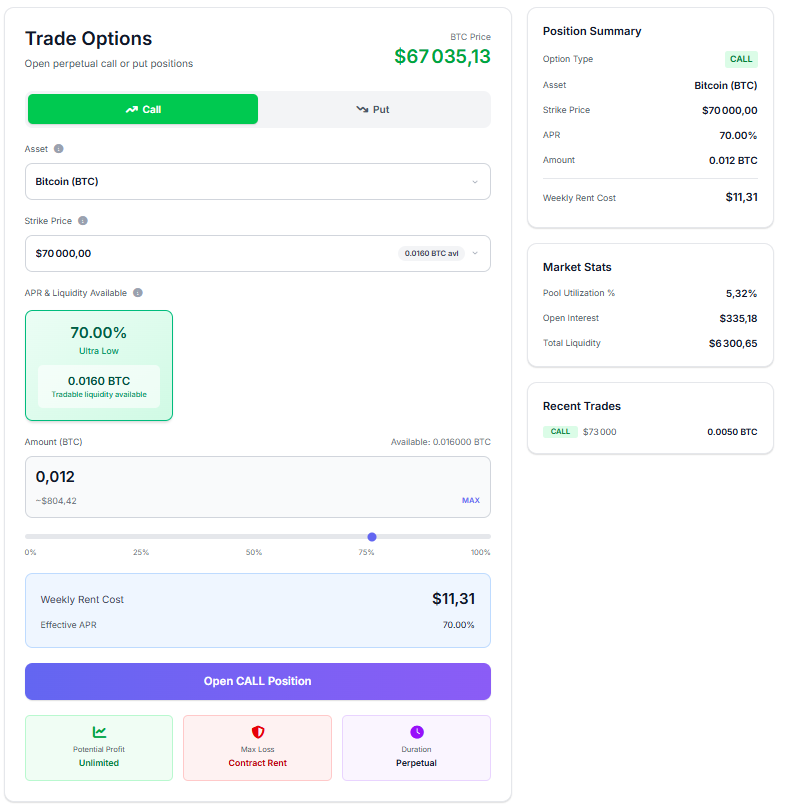
In this example:
- BTC price = $67,035
Step 1 — Choose Call or Put
First, decide your market direction:

- Call → you expect the price to go up
- Put → you expect the price to go down
Step 2 — Select Asset and Strike Price
Next, choose:
- The asset (e.g. BTC)
- The strike price (from available liquidity)
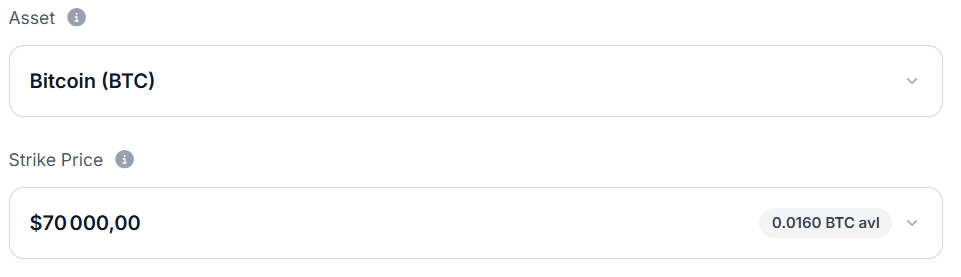
👉 The strike price defines the price at which you can buy or sell the asset.
Step 3 — Choose Liquidity and Position Size
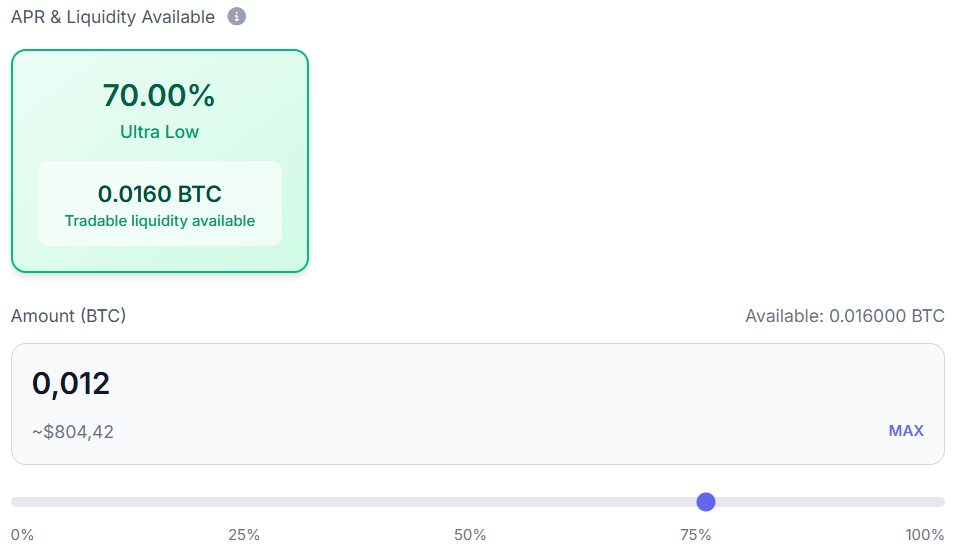
At each strike, liquidity providers offer:
- Available liquidity
- Associated APR (rental cost)
You can:
- See how much liquidity is available
- Select how much you want to use
- Adjust your position size
👉 Your position size directly impacts your rent cost.
Step 4 — Understand the Cost
Before opening the trade, you can see:

- Weekly rent cost
- Effective APR
👉 This is the cost you pay to keep the position open.
Step 5 — Review Position Summary
Before confirming, review your contract:
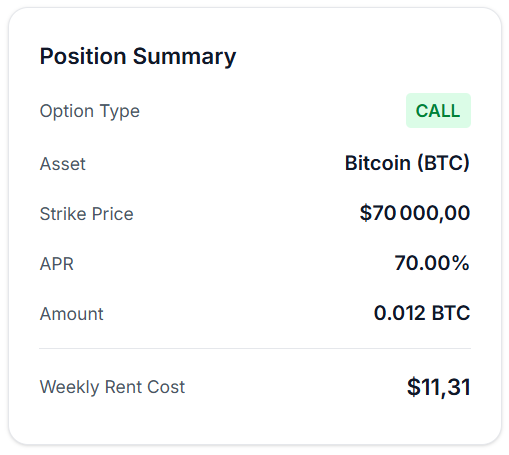
Example:
- Option Type: CALL
- Asset: Bitcoin (BTC)
- Strike Price: $70,000
- APR: 70%
- Amount: 0.012 BTC
- Weekly Rent Cost: $11.31
Important: Collateral Requirement
Before opening a position:
👉 You must deposit collateral
This collateral must cover:
- At least 2 weeks of rent
This ensures:
- Your position can remain active
- The protocol remains stable
After Opening Your Trade
Once your position is live:
👉 You can monitor it in your dashboard
You will see:
- All open positions
- Strike prices
- Current PnL
- Ongoing rent paid
Managing Your Position
At any time, you can:
- Close your position
- Keep it open and continue paying rent
- Exercise your option
Exercising Your Option (Physical Settlement)
Scall.io uses physically settled options.
This means:
👉 When you exercise, the contract is fully executed.
Call Option
If you exercise a call:
- You pay the strike price
- You receive the asset
Example:
- Strike = $70,000
- Market price = $100,000
👉 You pay $70,000 and receive 1 BTC worth $100,000
Put Option
If you exercise a put:
- You deliver the asset
- You receive cash at strike price
Key Principle
👉 You must honor the full contract
There is no cash difference settlement.
This is real asset delivery.
Why This Matters
Physical settlement creates:
- Real market interaction
- No synthetic shortcuts
- Stronger link between liquidity and execution
Final Thoughts
Opening a trade on Scall.io is:
- Simple
- Transparent
- Fully on-chain
In just a few steps, you can:
👉 Access perpetual options with real liquidity
And manage your position with full flexibility.
Ready to start trading perpetual options?
Open call and put positions on Scall.io with no expiration date and close anytime.